The short answer
Zapier is the right default for a marketing team with no engineering support, because it fails gracefully and anyone can read it. Make is better value once you are running high volume multi step flows and someone enjoys maintaining them. n8n is the right answer when you need to self host for data residency, or when per operation pricing has become the dominant cost.
The comparison that gets published, and why it is useless
Most comparisons line up connector counts, pricing tiers and a feature matrix. All three tools connect to everything a marketing team uses, all three branch and filter, all three handle errors. On that axis they look nearly identical, and the article tells you nothing.
The question that actually decides it is operational. Who maintains this in a year, what happens when it breaks at three in the morning, and what does it cost when volume is ten times what it is today.
Zapier
The right default for a marketing team with no engineering support, and that is a real recommendation rather than a hedge.
What it does well: a flow is readable by someone who did not build it, which matters more than anything else on a small team. Errors are surfaced clearly and it retries sensibly. The connector library is the deepest, so the obscure tool your events team uses is probably supported.
What it costs you: it is the most expensive per task at volume, and the gap widens fast. Multi step logic gets unwieldy, and there is a point where a flow becomes a diagram nobody wants to open. Data transformation is limited without dropping into code steps, at which point the readability advantage is gone.
Choose it when: nobody on the team writes code, volumes are modest, and the cost of a broken flow is higher than the subscription.
Make
Better value at volume and genuinely more capable, in exchange for needing someone who likes it.
What it does well: the visual builder handles branching, iteration and error handling far better than Zapier once a flow passes about five steps. Per operation pricing is substantially cheaper at volume. Data mapping and transformation are stronger, so you are less likely to need a code step.
What it costs you: the learning curve is real. A complex scenario is harder for a newcomer to read, and operation counting is not intuitive, so bills surprise people. If the person who built your scenarios leaves, the handover is harder than with Zapier.
Choose it when: you are running high volume or genuinely multi step flows, and at least one person on the team enjoys maintaining them rather than tolerating them.
n8n
The right answer for specific reasons, and the wrong answer for general enthusiasm.
What it does well: self hosting means data never leaves infrastructure you control, which settles data residency and privacy questions that the other two cannot. Source control, branching and review work properly. At very high volume the economics are not close.
What it costs you: you are now operating software. Updates, uptime, backups and security are yours. That is a real ongoing commitment, not a weekend. Without engineering support it is the wrong choice even when it looks cheapest on a spreadsheet.
Choose it when: you have a data residency or privacy requirement the others cannot satisfy, or per operation pricing has become your dominant cost, and you have someone whose job includes keeping it running.
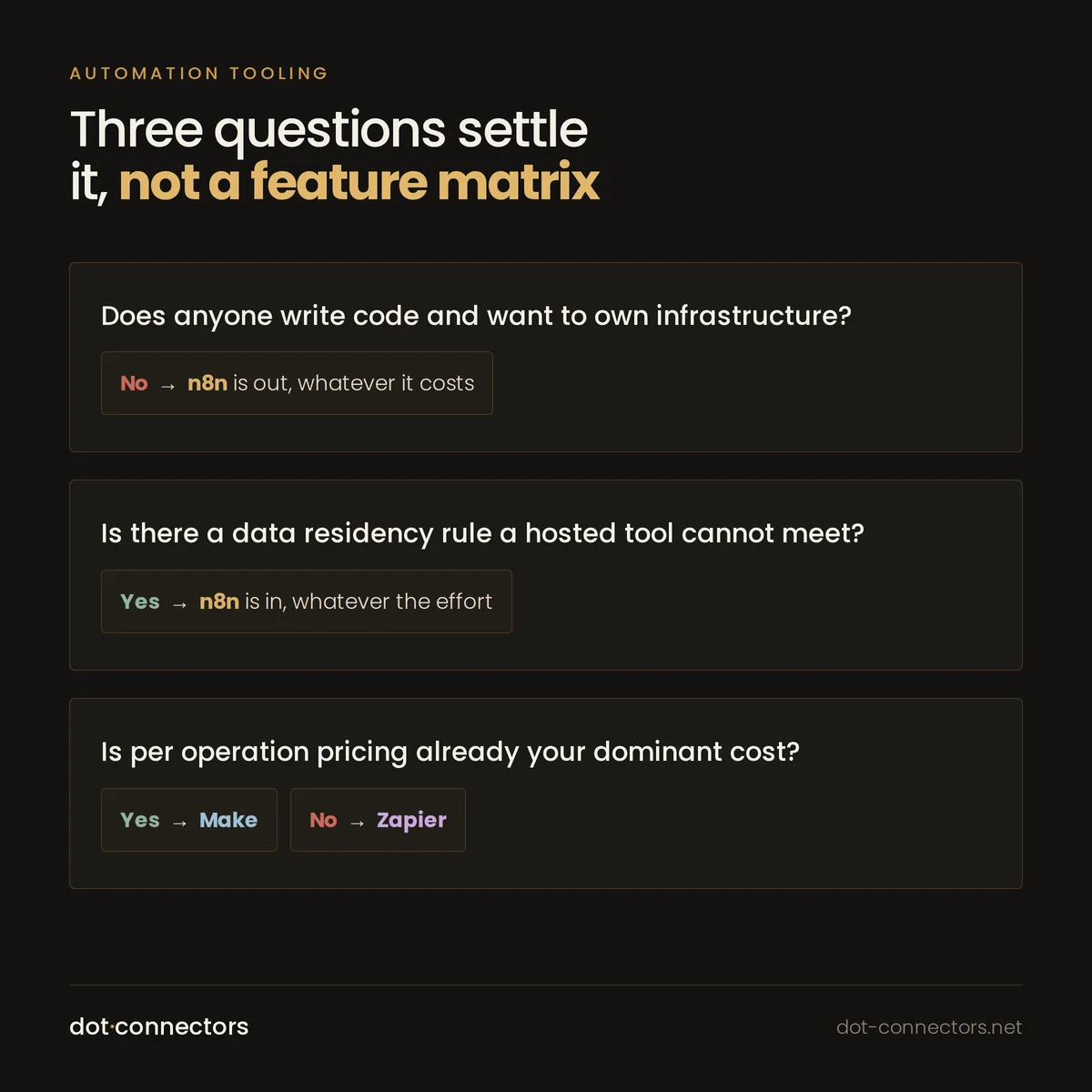
The three questions that usually settle it
- Does anyone on the team write code and want to own infrastructure? If no, n8n is out regardless of price.
- Do you have a data residency or privacy constraint that rules out a hosted tool? If yes, n8n is in regardless of effort.
- Are your volumes high enough that per operation pricing dominates? If yes, Make over Zapier. If no, Zapier over Make.
That resolves most cases in a few minutes, and it is a better conversation than a feature matrix.
The thing worth saying last
Teams switch tools hoping to fix problems the tool was not causing. Undocumented flows, no owner, no error alerting and no test environment produce the same pain on all three platforms, and a migration carries every one of those problems across intact.
If a flow broke and nobody noticed for a week, that is a monitoring problem. Changing vendor will not fix it, and you will spend a quarter finding that out.
Where this comes from
We do this work
This article is drawn from how we scope and run campaigns and automation. If you recognised your own setup in any of it, that page covers what an engagement looks like, what is included, and what we will not take on.
Also here
More from insights
- Why your HubSpot and Salesforce records do not match Two systems that can both write the same field will eventually disagree. Here is why, and what to do instead.
- Will server-side tagging recover the data you lost to consent? Short answer: no. Longer answer: it fixes several real problems, and it is worth knowing which.
- GA4 revenue does not match your shop platform The two numbers will never match exactly. The goal is a small gap you can explain in one sentence.
- Duplicate contacts in HubSpot, and how to stop them coming back Every cleanup works. Most of them get repeated two years later, because nobody fixed the thing producing the duplicates.
- Lead scoring that sales will actually use If sales ignores the score, the score is wrong. That is the whole feedback loop, and most models never get it.
- Your new website produced fewer leads than the old one It is rarely the design. It is almost always something that was carried across incompletely.